Resources & worksheets
Create a coping-skills worksheet, a reflection activity, or a check-in tailored to your students.
01A YEAR PLANNER FOR SCHOOL COUNSELORS
Print a student questionnaire, enter the totals, and choose monthly topics. Make changes as you go, then download a PDF for your principal.
Free planner and PDF No card required No student names
 Print the questionnaire
 Build your monthly plan
 Share the report
A place to belong
Friendship skills
Tools for big feelings
No names. Matched to their grade.Change any topic to fit your school.
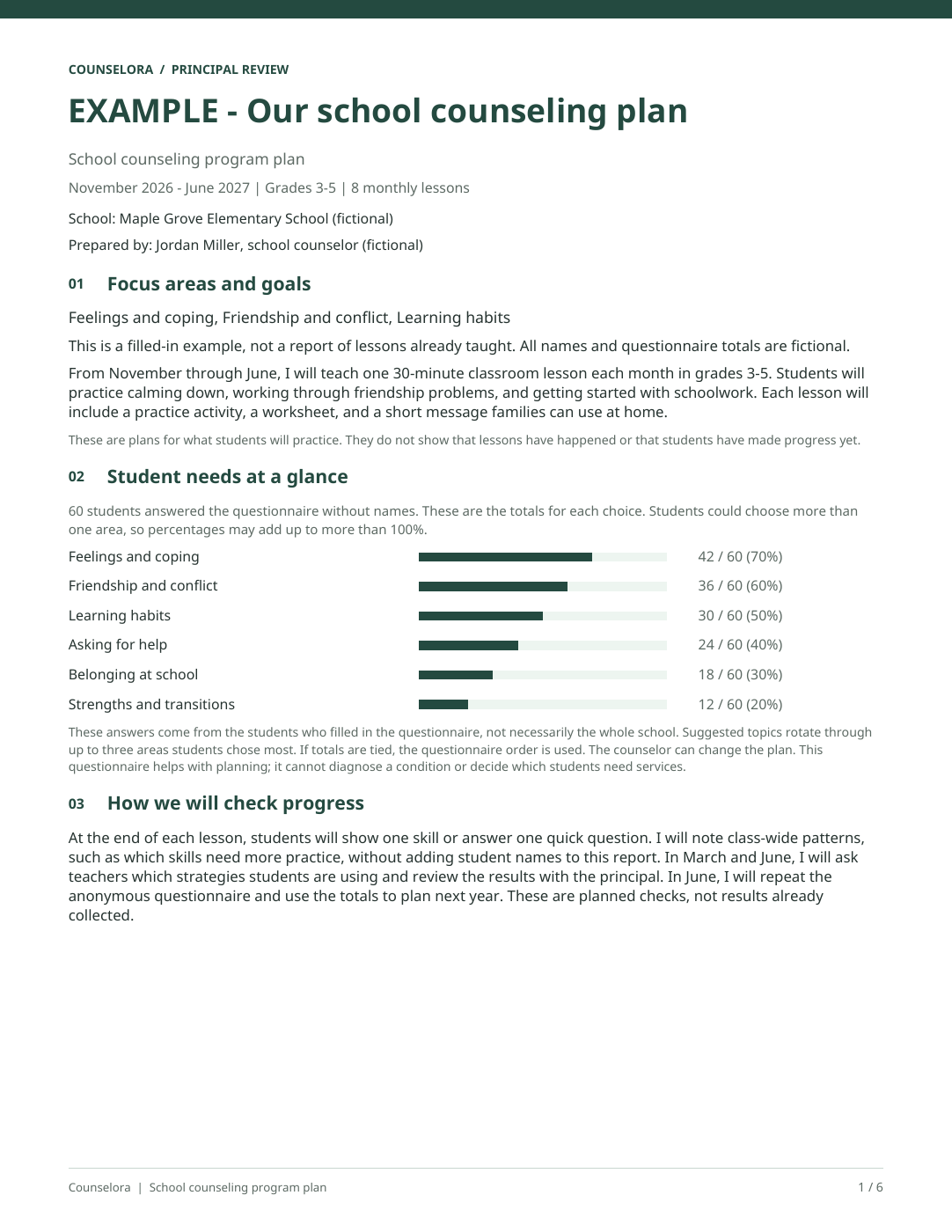 Ready for your principal
 HOW IT WORKS
Start with student feedback, or use priorities you already know.
STEP 01
Choose a grade level and print the questionnaire. Each sheet has two copies. Students choose what they want to practice without adding their names.
Start planning for freeMade-up example · You can change every suggestion.
MY SCHOOL. MY VOICE.
MY SCHOOL. MY VOICE.
Already know your priorities? Skip the questionnaire and start with your own plan. Planning, editing, and report downloads use no AI credits.
PREPARE YOUR MATERIALS
Tell Cora, our AI tool, what you need. Review the draft, make your changes, and save it for later.
Create a coping-skills worksheet, a reflection activity, or a check-in tailored to your students.
01Choose a topic and draft a lesson with a learning goal, activities, and a closing question.
02Build a sequence of group sessions around friendship, confidence, coping skills, and more.
03Draft school support strategies, goals, and check-in questions. Review them before use.
04Find the words for a family email, staff update, or other school communication. Edit it to sound like you.
05Make activities and checklists to help students explore college and career choices.
065 free AI credits to get started. Each new AI draft or revision uses one credit. Manual editing stays free.
FREE DOWNLOADS. NO ACCOUNT NEEDED.
Download a feelings check-in, coping worksheet, or planning template. Take a look before you print.
Browse free resourcesPRICING
Planning is free. Choose Plus when you need more AI drafts.
$0
Year planning, PDFs, and 5 AI credits.
$9 / month
Or $79/year—save $29 compared with monthly billing.
Prices in USD. Subscriptions renew automatically until canceled; cancellation takes effect at the end of the paid period.
One new AI draft or revision uses one credit. Plus credits reset each calendar month (UTC) and don’t roll over. Existing recurring subscribers keep their current price. Review AI drafts for accuracy, age appropriateness, and fit with your school’s policies.
Yes. Print a questionnaire for your students’ grade level, count their answers, and enter the totals. Leave out names and individual responses. Year Planner suggests monthly topics based on the most common answers. You can change them. Adjust the topics and objectives, add your program goals, then save and download a PDF for principal review. Questionnaires, planning recommendations, and plan downloads use no AI credits. Create an account to use Year Planner.
The plan includes monthly topics, objectives, editable planning reasons, and the activity descriptions you add. You prepare materials separately: open a lesson, worksheet, or family-message tool with the topic filled in, then choose whether to generate a draft. Each AI draft or revision uses one credit. You can also link materials you have already saved.
Counselora is an AI-assisted workspace for school counselors. Create resources, plan classroom lessons and small groups, draft student support materials and communications, and keep your work together in one place.
Use Year Planner, print needs questionnaires, and download your year plan without spending AI credits. New accounts also receive 5 trial AI credits in total. Creating a new AI draft or asking Cora for a revision uses one credit. The trial credits do not renew monthly. You can keep manually editing, saving, and exporting your existing work after your credits run out.
Paid subscribers receive 50 AI credits per calendar month, resetting at the start of each month in UTC. Each new AI draft or revision uses one credit. Manual editing, saving, and exporting existing work do not use AI credits.
Yes. Cora gives you a draft you can change. You choose which revisions to apply and can edit the content yourself. Check for mistakes, make sure it suits your students, and follow your school’s policies.
Yes. Save your work and reopen it from Lessons, Worksheets, or the tool where you made it. Download resources and plans as PDFs, or copy messages into your email or messaging app.
No. Existing recurring subscribers keep their current subscription and price. When your account moves to the new platform, the sign-in page will guide you through setting a password. You don’t need to purchase another subscription.
BUILT FROM SCHOOL COUNSELING EXPERIENCE
Founded by Benjamin Raskin, M.S., PPS, LMFT, CSAT-C, with eight years of experience as a school counselor at a Los Angeles middle school.
Cora gives you a draft, not a finished answer. Check it for mistakes and make sure it works for your students. Use made-up examples and leave out confidential student information.
READY TO START?
Already part of Counselora? Sign in to your account